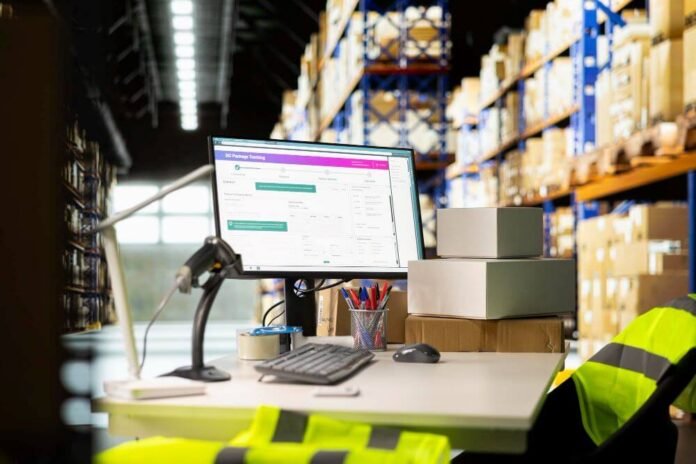

Running an import-export business is not just about moving products from one country to another. It involves purchase orders, supplier coordination, customs documents, inventory tracking, freight costs, landed cost calculations, invoices, compliance records, and accounting updates.
For many growing businesses, QuickBooks is already the financial backbone. It handles accounting, invoices, payments, and reporting well. But once international trade workflows become more complex, QuickBooks alone may not cover everything an importer, exporter, or global distributor needs.
That is where connected software becomes valuable.
The right import-export system can help teams manage trade documents, track shipments, monitor inventory, calculate landed costs, and keep financial data aligned with QuickBooks. Instead of relying on spreadsheets, email threads, and duplicate data entry, businesses can create a smoother workflow from purchase order to final delivery.
Below are nine practical ways import-export businesses can simplify operations by using software that connects global trade workflows with QuickBooks.
1. Centralize Import-Export Operations in One System
Import-export businesses often deal with scattered information. A purchase order may live in one spreadsheet, shipping updates in email, customs documents in a shared folder, and financial records in QuickBooks.
That setup may work when order volume is low. But as shipments increase, scattered data creates problems. Teams lose track of updates, duplicate work, and spend too much time confirming basic information.
A centralized import-export platform helps bring key workflows into one place. This can include supplier orders, customer orders, shipment details, inventory status, trade documents, and cost information.
The goal is not to replace QuickBooks. Instead, the goal is to connect operational data with accounting data so both sides of the business stay aligned.
For example, an importer may need to know whether a shipment has left the supplier, whether inventory is available for sale, and whether the invoice has already been created. When the operational system and QuickBooks are connected, teams can avoid switching between tools just to answer simple questions.
A centralized system gives businesses better visibility into what is happening across the entire order-to-delivery process.
2. Reduce Manual Data Entry Between Operations and Accounting
Manual data entry is one of the biggest hidden costs in import-export operations. Every time someone copies information from a purchase order into a spreadsheet, then into a shipping document, then into QuickBooks, the business risks delays and errors.
Even small mistakes can become expensive. A wrong quantity can affect inventory. A missing cost can distort profitability. An incorrect customer detail can delay documentation or invoicing.
QuickBooks-connected import-export software helps reduce these issues by syncing important information between systems. Instead of entering the same data multiple times, teams can use connected workflows to keep records more consistent.
This is especially useful for companies that manage:
- Purchase orders
- Sales orders
- Supplier invoices
- Customer invoices
- Inventory updates
- Freight and duty costs
- Shipment records
- Payment and billing details
When data moves more smoothly between operations and accounting, teams spend less time correcting mistakes and more time managing the business.
The best import-export software that integrates with QuickBooks does not just move data. It helps structure the workflow so employees know what needs to happen next.
3. Improve Trade Documentation Accuracy
Import-export businesses rely on accurate documents. A single shipment may require a commercial invoice, packing list, bill of lading, certificate of origin, customs declaration, compliance certificate, or other supporting paperwork.
When these documents are created manually, errors are easy to make. Product descriptions may not match. Quantities may be inconsistent. Country-of-origin details may be missing. Shipment values may not align with invoices.
These issues can delay customs clearance, create confusion with freight partners, or lead to compliance risks.
Import-export software can help by generating documents from existing order and shipment data. That means the same source information can be used across multiple documents, reducing the risk of mismatched details.
For businesses using QuickBooks, this is especially valuable because financial and operational records can stay more consistent. Invoice data, order values, customer information, and shipment details can support the documentation process instead of being recreated from scratch.
Accurate documentation is not just an administrative benefit. It directly affects how quickly goods move, how confidently teams operate, and how well the business manages trade compliance.
4. Track Landed Costs More Clearly
Landed cost is one of the most important numbers in import-export operations. It shows the true cost of getting a product from the supplier to its final destination.
A product’s landed cost may include:
- Product cost
- Freight
- Customs duties
- Insurance
- Tariffs
- Port fees
- Broker fees
- Storage charges
- Handling costs
- Currency conversion effects
Without accurate landed cost tracking, businesses may think they are profitable when margins are actually shrinking.
QuickBooks can record expenses, but import-export companies often need a more detailed way to connect those expenses to specific shipments, products, or orders. That is where specialized import-export software helps.
For example, a company may import goods from multiple suppliers in one container. Freight and duty costs need to be allocated across products correctly. If those costs are not assigned properly, pricing decisions become unreliable.
A connected import-export system can help teams capture these costs at the shipment or item level, then align financial data with QuickBooks. This gives business owners a clearer view of true profitability.
Better landed cost visibility leads to better pricing, smarter purchasing, and more accurate financial reporting.
5. Strengthen Inventory Visibility Across Locations
Inventory visibility is more complicated for import-export companies than for many local businesses. Goods may be in production, in transit, at a port, in a warehouse, reserved for a customer, or available for sale.
If teams only track inventory after it arrives, they may miss important planning signals. Sales teams may promise stock that is not actually available. Purchasing teams may reorder too late. Finance teams may not have a clear picture of inventory value.
Import-export software can help businesses track inventory across different stages and locations. This may include supplier warehouses, containers, customs clearance points, domestic warehouses, and customer delivery stages.
When connected with QuickBooks, inventory and accounting workflows become easier to manage. Businesses can improve visibility without forcing accounting teams to manually chase operational updates.
This is especially useful for companies managing multiple warehouses or frequent international shipments.
Strong inventory visibility helps answer questions such as:
- What stock is currently available?
- What inventory is already committed to customer orders?
- What shipments are still in transit?
- Which products are running low?
- Which orders may be delayed?
- What inventory costs should be reflected financially?
For growing businesses, visibility is often the difference between reactive operations and proactive planning.
6. Connect Shipment Tracking With Financial Workflows
Shipment tracking is not only a logistics concern. It affects invoicing, cash flow, customer communication, inventory planning, and accounting accuracy.
If a shipment is delayed, a customer invoice may need to be adjusted. If goods have arrived, inventory may need to be updated. If freight charges change, landed costs may need to be recalculated.
When shipment data is disconnected from financial workflows, teams often rely on manual follow-ups. This can slow down billing, delay reporting, and create confusion between departments.
A QuickBooks-connected import-export system can help bridge the gap between shipment activity and accounting processes. For example, teams can track order status, shipment milestones, delivery updates, and related costs in one workflow.
This helps businesses create a clearer order-to-cash process.
In practical terms, that means fewer gaps between operations and finance. The operations team knows where goods are. The accounting team knows when to invoice. The leadership team has better visibility into revenue, costs, and timing.
For import-export businesses, shipment visibility is not just about knowing where products are. It is about understanding how movement affects money.
7. Choose Software Built for Real Import-Export Workflows
Not every QuickBooks integration is designed for import-export operations. Some tools focus mainly on moving spreadsheet data into QuickBooks. Others act as general app marketplaces or simple data import utilities.
Those tools can be useful, but they may not solve the deeper operational challenges of global trade.
Import-export businesses often need more than basic data import. They need workflows for documentation, compliance, landed cost tracking, inventory visibility, shipment management, supplier coordination, and customer order fulfillment.
That is why choosing purpose-built software matters. A platform designed specifically for importers, exporters, and distributors can support the real-world complexity of international trade.
The key question is simple: does the software only move data, or does it actually improve the way the business operates?
A basic import tool may help with transactions. A true import-export system helps manage the full workflow around those transactions. For companies that rely on QuickBooks but need stronger trade operations, import-export software that integrates with QuickBooks can connect documentation, shipment tracking, landed costs, inventory, and financial workflows in a more practical way.
8. Improve Compliance and Audit Readiness
Compliance is a major concern in international trade. Importers and exporters often need to maintain accurate records for customs, tax, supplier verification, product classification, country-of-origin requirements, and customer documentation.
Poor recordkeeping can create delays, penalties, and operational risk.
Software can help by keeping documents, shipment records, cost details, and transaction histories organized. Instead of searching through email chains or disconnected folders, teams can access important information more easily.
Compliance is not only about meeting legal requirements. It is also about having reliable business records.
Import-export software can support audit readiness by creating a more traceable workflow. Teams can see what was ordered, what was shipped, what documents were created, what costs were added, and how the information connects to financial records.
For growing companies, organized compliance data can reduce stress and improve confidence in daily operations.
9. Use Better Data to Make Smarter Business Decisions
The biggest advantage of connected import-export software is not just efficiency. It is better decision-making.
When operational data and financial data are connected, business leaders can understand what is really happening across the company.
They can answer questions such as:
- Which products are most profitable after freight and duties?
- Which suppliers cause the most delays?
- Which customers generate the strongest margins?
- Which shipments are costing more than expected?
- Which warehouses or routes create bottlenecks?
- Which products should be reordered sooner?
- Which orders are at risk of delay?
Without connected systems, these answers are often buried in spreadsheets or guessed from incomplete information.
Key Takeaways for Import-Export Businesses
Import-export operations become harder to manage when trade workflows, inventory data, shipping updates, and accounting records are disconnected. QuickBooks is a strong accounting platform, but growing global trade companies often need additional tools to manage operational complexity.
The right QuickBooks-connected import-export software can help businesses centralize workflows, reduce manual entry, improve documentation, track landed costs, monitor inventory, connect shipment updates with financial processes, and strengthen compliance records.
For importers, exporters, and distributors, the best solution is not just the one that syncs with QuickBooks. It is the one that supports the full reality of international trade.
In many cases, import-export software that integrates with QuickBooks gives growing businesses the balance they need: QuickBooks for accounting and a dedicated operational system for trade documentation, inventory movement, shipment visibility, and landed cost control.
When businesses connect their operations and accounting systems, they gain more than convenience. They gain clearer visibility, better control, and stronger confidence in every shipment, invoice, and decision.